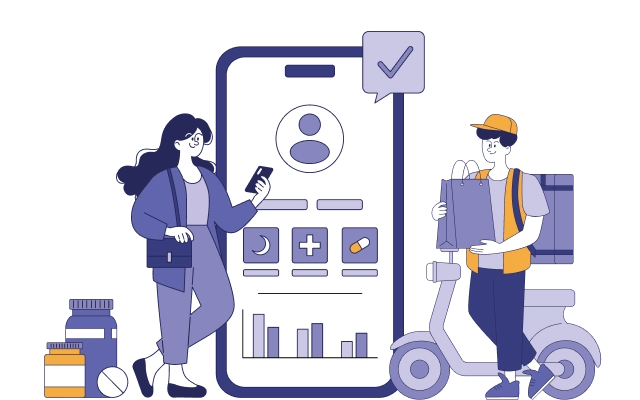


The home services industry is going digital faster than most business owners expected. People no longer want to flip through directories or wait on hold to book a plumber, electrician, or carpenter.
They want to open an app, tap a few buttons, and have a verified professional show up at their doorstep - the same way they book a cab. This shift is exactly why so many entrepreneurs now want to know how to build on-demand handyman app like Uber. An Uber-style handyman app connects customers who need home repair or maintenance work with nearby skilled professionals in real time.
It borrows the same core mechanics that made ride-hailing apps successful: instant matching, live tracking, transparent pricing, and a rating system that builds trust between two strangers meeting for a transaction.
But building this kind of platform isn't just about copying a ride-hailing app and swapping "driver" for "handyman." Home services carry their own complexity: job estimation, service categories, multi-day bookings, material costs, and safety verification all add layers that a taxi app never has to think about. This guide breaks down exactly how to plan, design, and develop a successful on-demand handyman app, from core features to tech stack to monetization.
Key Takeaways
- An on-demand handyman app connects customers and service professionals using real-time location matching, similar to Uber's driver-rider model.
- The three core apps you need are a customer app, a professional (handyman) app, and an admin panel.
- Must-have features include live tracking, in-app payments, service categories, scheduling, and a two-way rating system.
- Typical development timelines range from 4 to 9 months depending on feature complexity and platform (iOS, Android, or both).
- Revenue models usually combine commission per booking, subscription plans for professionals, and surge or premium pricing for urgent jobs.
- Trust and safety features (background checks, verified badges, insurance details) matter more in handyman apps than in ride-hailing apps because work happens inside someone's home.
Planning a Handyman App? Let's Talk
Got an idea for a handyman app? A quick conversation with our product consultant can help you clarify your goals and avoid costly planning mistakes.

Why the On-Demand Handyman Market Is Growing
Home services have historically been a fragmented, offline-first industry. Homeowners relied on word-of-mouth referrals or local classified ads to find someone to fix a leaking pipe or install a ceiling fan. That model is breaking down for a few clear reasons:
- Urban households increasingly lack the time or skill to do repairs themselves.
- Smartphone penetration has made "tap-to-book" the expected standard across service industries.
- Gig workers are actively looking for flexible platforms that bring them jobs, rather than relying solely on referrals.
- Contactless payments and live tracking have become baseline expectations after the ride-hailing and food delivery boom.
This combination of demand and supply readiness is why platforms like TaskRabbit, Thumbtack, and Handy have scaled quickly, and why regional entrepreneurs are now exploring how to build on-demand handyman app like Uber for their own local markets.
Understanding the Uber-Style Business Model
Before writing a single line of code, it's worth understanding why and how Uber business model works so well, because that logic is what you're adapting.
Uber's model succeeds because it solves a two-sided marketplace problem: it needs enough riders to keep drivers busy, and enough drivers to keep rider wait times low. A handyman app faces the same balancing act, except instead of matching by proximity and ETA alone, it also has to match by skill category, service availability, and job complexity.
On-Demand Handyman App Like Uber: Core Business Model Breakdown
The business model of an on-demand handyman app like Uber connects customers with nearby service professionals through a centralized digital platform. The app manages the complete service journey - from booking and provider matching to payment and reviews - while generating revenue through commissions, service fees, subscriptions, or other monetization methods.
The business model generally works in four key steps:
- Customer Requests a Service: The customer opens the app, selects a service category such as plumbing, electrical work, cleaning, painting, or appliance repair, and submits the job details. They can usually specify their location, preferred time, service requirements, and other relevant information.
- Platform Matches the Right Professional: Once the request is submitted, the platform identifies available and qualified professionals nearby based on factors such as location, service category, availability, ratings, and other matching criteria. The selected professionals receive the job request and can accept or decline it.
- Professional Accepts and Completes the Job: After accepting the request, the handyman receives the customer's location and job details. The customer can track the professional's arrival, while the provider travels to the location, performs the required service, and updates the job status through the app.
- Payment, Reviews, and Settlement: Once the job is completed, the customer pays securely through the app using the available payment method. The platform processes the transaction, deducts its commission or service fee, and transfers the remaining amount to the professional. Customers can then rate and review the service, helping maintain quality and trust across the platform.
This entire process needs to work smoothly across three core interfaces: the customer app, the handyman/provider app, and the admin panel. Each interface plays a different role in managing bookings, providers, payments, communication, and overall platform operations.
The Three Core Apps You Need to Build
1. Customer App
This is where homeowners browse services, request bookings, track professionals, and pay. It needs to feel as effortless as booking a ride.
2. Handyman (Service Provider) App
This is the professional's workspace - job requests, navigation, earnings tracker, and availability toggle all live here.
3. Admin Panel
This is the operations control center. It manages users, service categories, pricing rules, disputes, payouts, and analytics.
Skipping any one of these three components creates operational gaps. A platform without a strong admin panel, for instance, quickly becomes impossible to moderate as the professional base grows.
Must-Have Features for an On-Demand Handyman App
Customer App Features
- Service category browsing (plumbing, electrical, carpentry, painting, appliance repair, etc.)
- Instant booking and scheduled booking options
- Real-time professional tracking on a map
- Transparent, upfront pricing or estimate calculator
- In-app chat and call with masked numbers
- Multiple payment options (card, wallet, UPI/local methods)
- Job history and rebooking
- Ratings and reviews after job completion
- Push notifications for booking status updates
Handyman App Features
- Job request feed with accept/decline
- Navigation integration to customer location
- Availability and working-hours toggle
- Earnings dashboard with payout history
- Document upload for verification (ID, certifications, insurance)
- In-app chat with the customer
- Job completion confirmation with photo proof
Admin Panel Features
- Provider onboarding and verification workflow
- Dynamic pricing and commission configuration
- Live dispatch and heat-map monitoring
- Dispute resolution and refund management
- Analytics dashboard (bookings, revenue, churn, ratings)
- Push notification and promo campaign management
How to Build On-Demand Handyman App Like Uber
Step 1: Validate the Idea and Define Your Niche
Decide whether you're building a general handyman marketplace or focusing on a niche (electrical-only, appliance repair, or emergency plumbing). Niche-first platforms often find product-market fit faster in competitive metro markets.
Step 2: Map the User Journeys
Document the exact flow for both customers and professionals - from sign-up to job completion to payout. This becomes the blueprint for your UI/UX design.
Step 3: Choose the Right Tech Stack
A typical Uber-style handyman app stack includes:
| Layer | Common Technology Choices |
|---|---|
| Frontend (Mobile) | Flutter or React Native for cross-platform speed |
| Backend | Node.js, Django, or Ruby on Rails |
| Database | PostgreSQL or MongoDB |
| Real-time tracking | Google Maps API / Mapbox with WebSockets |
| Push notifications | Firebase Cloud Messaging |
| Payments | Stripe, Razorpay, or a regional payment gateway |
| Hosting | AWS or Google Cloud |
Step 4: Design an Intuitive UI/UX
Keep booking flows under three taps wherever possible. Home service customers are often dealing with an inconvenient or urgent problem, so friction at checkout directly hurts conversion.
Step 5: Build an MVP First
Launch with core categories and one city before expanding. An MVP typically includes booking, tracking, payments, and reviews - advanced features like loyalty programs or subscription plans can come later.
Step 6: Test Rigorously
Test for location accuracy, payment failures, notification delivery, and load handling during peak hours (weekends tend to see spikes in home-service demand).
Step 7: Launch, Onboard Professionals, and Iterate
A marketplace app is only as good as its supply side. Focus heavily on recruiting and verifying quality professionals before marketing heavily to customers. An empty supply pool kills early retention fast.
Monetization Strategies
Most successful on-demand handyman platforms combine more than one revenue stream:
- Commission per booking: typically 15-25% of the job value
- Subscription plans for professionals: reduced commission in exchange for a monthly fee
- Featured listing fees: professionals pay to appear higher in search results
- Surge or urgent-job pricing: premium rates for same-hour bookings
- Cancellation fees: protects professionals' time when customers cancel late
Cost to Build an On-Demand Handyman App
Development cost depends heavily on feature scope, platform choice, and location of your development team. As a general guide:
- MVP (single platform, core features): lower budget, 3-5 months
- Full-featured app (iOS + Android + admin panel): mid-to-high budget, 5-8 months
- Enterprise-grade platform (AI matching, advanced analytics, multi-city support): higher budget, 8+ months
Rather than quoting a fixed number, it's best to get a scoped estimate based on your exact feature list and target market, since pricing varies significantly by region and development partner.
Get Your Personalized App Estimate
Know your potential app investment before you start. Request a free estimate tailored to your features and target market.
Common Mistakes to Avoid
- Launching in multiple cities before nailing operations in one
- Underinvesting in professional verification and background checks
- Ignoring offline payment preferences in markets where cash is still common
- Overloading the MVP with features instead of validating core demand first
- Weak dispute-resolution flows, which erode trust quickly in a two-sided marketplace
Conclusion
Learning how to build an on-demand handyman app like Uber comes down to understanding that you're not building one app, you're building an ecosystem of three connected experiences: the customer, the professional, and the operations team behind the scenes. Get the core booking-to-payout loop right, prioritize trust and verification, and launch lean with one city and a focused set of service categories before scaling.
The home services market is still early in its digital transformation compared to ride-hailing or food delivery, which means there's real room for a well-executed platform to capture market share. The businesses that win here will be the ones that treat professional quality and customer trust as seriously as the technology itself.
FAQs
How much does it cost to build an on-demand handyman app like Uber?
Cost varies based on features, platforms, and team location, but most MVPs start at a modest budget and scale up as more features and cities are added.
How long does it take to develop a handyman app?
Most MVP handyman apps take around 3-5 months, depending on features, customization, and platform requirements. Full-featured apps with advanced admin tools, integrations, real-time tracking, and other complex features may take 6-9 months.
What features are essential for an MVP handyman app?
Essential MVP features include service booking, real-time tracking, secure payments, provider verification, ratings and reviews, push notifications, and basic admin management. These features help businesses launch quickly and validate their app idea before adding advanced functionality.
Which is the best tech stack for building a handyman app?
Flutter or React Native for the frontend, Node.js or Django for the backend, and Google Maps API for tracking are commonly used, though the right stack depends on your team's expertise and scalability needs.
How do handyman apps make money?
Most platforms earn through per-booking commissions, professional subscriptions, featured listings, and surcharges on urgent jobs.
About Author

Sophia Green
Sophia Green is a passionate app developer and tech enthusiast with over a decade of experience in the industry. She specializes in creating innovative solutions that drive business success. When she's not coding, Sophia enjoys exploring the latest trends in technology and sharing her insights through writing. Her goal is to make complex concepts easy to understand for everyone.